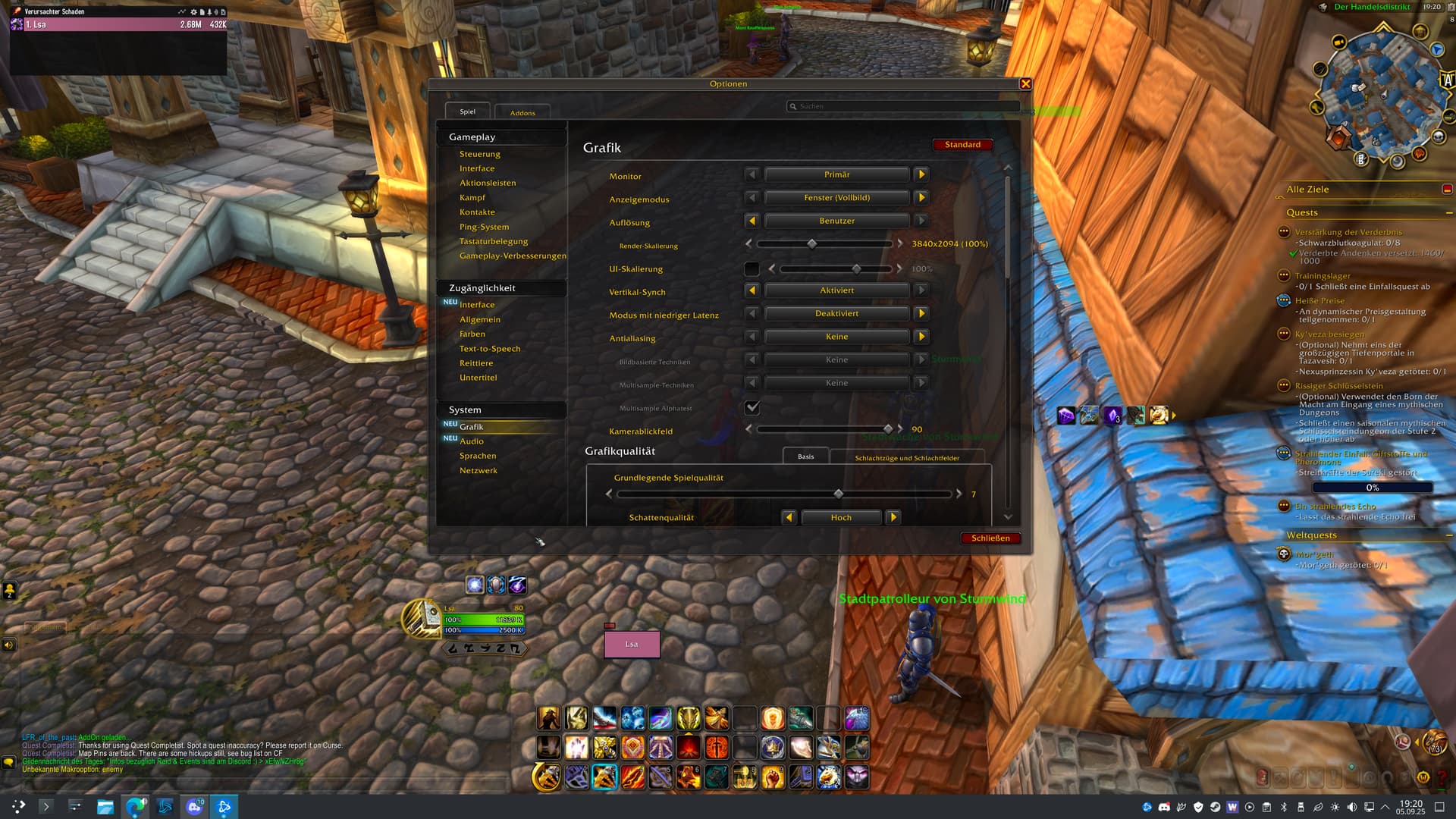
this wednesday, the World of warcraft got its latest patch, 11.2.0. After running battlenet through lutris, I updated it without any issues. Unsure if this caused the issue I am having, still, I’d rather share this info.
I launched the game through battlenet (using Proton-GE) however, the game doesn’t go to full screen but the gnome topbar is still visible. I have to go into the game menu and change the resolution to my monitor resolution (3440x1440), click apply, then everything looks great.
If I quit the game (and battlenet) (and lutris) and reopen it, I am greeted with this custom resolution again, and I have to set the correct resolution again through the game menu.
On the same day, as I do every day, I check for system updated, install them and reboot the computer. I tried completely deleting the wow directory and installing it again from the battlenet. I got the same result.
lutris -d shows:
2025-08-09 01:38:14,476: Couldn’t find a terminal emulator.
WARNING: radv is not a conformant Vulkan implementation, testing use only.
and opens the Lutris normally.
Thank you everyone for your great service and thank you for your feedback in advance!
I have a similar issue related to the full screen mode and the top bar. I’m running OpenBox window manager with polybar and when I launch WoW the window starts resizing itself uncontrollably. It seems like it’s trying to draw a copy of polybar inside the window, then the bar disappears and the window tries to adjust to the change. This repeats many times per second until I close the window. The issue happens when I’m using wine-staging 10.13 but today I did some testing and everything works normally when I use GE-proton (Latest). I assume the latest version is GE-Proton10-12 that was published last week.
Weird that GE-Proton 10-12 works for me but not for Valfox, but then again my issue is a bit different. But maybe it’s worth trying out if you haven’t yet?
wine-10.8staging-tkg-am64 installed with ProtonPlus works. I was using GE=Proton latest and resizing the screen was an issue. Especially when i pressed the window maximize button.
hi @hynkelz. thank you for your feedback. this actually works, even with the latest 10.14 staging tkg. The problem I am facing is, when I start battle.net, then it stays black, however, If I add a WoW game directly into the lutris and start it using the WoW icon, battle.net starts normally and wow starts in FULL SCREEN MODE! YAY!
So thank you for the workaround. Until the Proton gets updated to fix the issue, I will be using wine 10.x staging tkg.
Changed to wine-staging-tkg-10.15 (current latest)
ALSO changed Wine prefix to point to the directory where WoW is installed
Changed executable to be WoW.exe
Started the game. It started Fullscreen immediatelly. Yay.
Since I have 2FA Authentication enabled, after I’ve logged in, I had to enter the 2FA Code, which you can get when you open Blizzard App on your phone, then go to Authentication and click that little “Type code manually” text. The login process in this way does NOT trigger the authenticator push notification. Just wanted to share that info too
wine-10.8staging-tkg-am64 installed with ProtonPlus works. I was using GE=Proton latest and resizing the screen was an issue. Especially when i pressed the window maximize button.donwload game free at apklokyhttps://apkloky.com/
I just noticed that, when opening Lutris for the first time, then starting the new entry we just created, it also fails to get it right the first time it starts. If I close the game and reopen it again using lutris, it works and it sets itself fullscreen as it should.