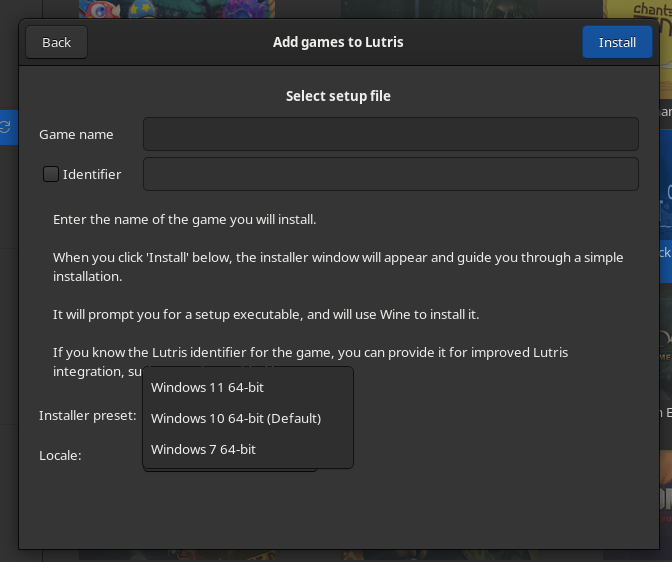
So I moved over to CachyOS and I noticed something odd about Lutris, when it comes to installing old games with discs, I noticed that I don’t have the right installer presets, I only have Windows 11 (64-bit,) Window 10 (64 bit) and Windows 7 (64 bit).
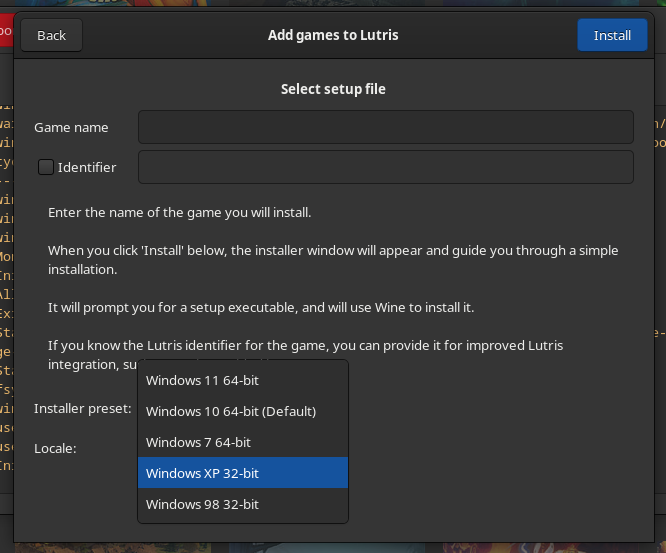
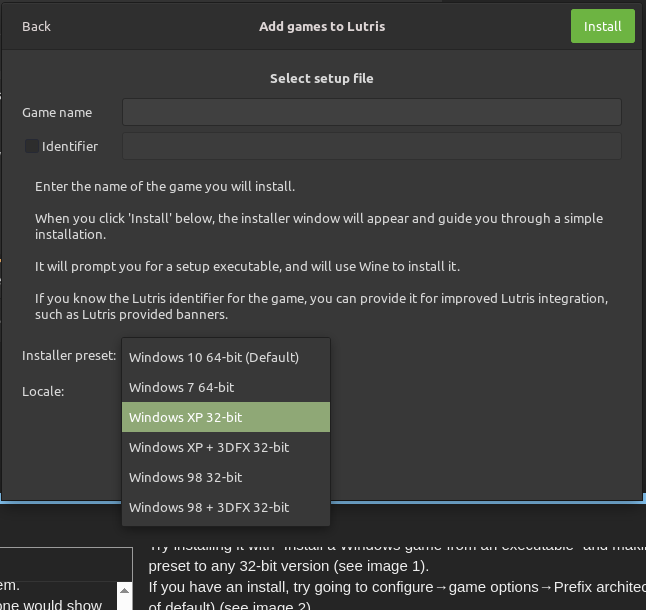
I don’t have any 32-bit options, nor do I have Windows XP or Windows 98 like I should have like in this image…
https://forums.lutris.net/uploads/default/original/2X/d/da66c632f11685bd8806008203affb6399caed9a.png
Any ideas how to fix this? I have a bunch of Win XP/98 games I want on my CachyOS build, but I only seem to have 64bit installer presets on this Lutris set up.
with recent wine version, you no more need to create a win32 wineprefix, recent Wine versions will use 64 bits libraries for 16 and 32 bits apps.
win32 wineprefix are not compatible with Proton.
OK, so the first game I’m trying to install is Zoo Tycoon, I’ve managed to install in vanilla Wine, but each time I then try to put it into Lutris, it’ll fail. I can’t seem to get vanilla Wine to work inside of Lutris, only 64bit versions that spit out a huge error log at me. When I than try to use the online Lutris installers, it’s expecting a 2 disc version of Zoo Tycoon, when I only have a single disc version, so that method is thrown out the window. So I try to install it with the “Install a Windows game from an executable” option where I point Lutris to the setup.exe on the disc, but it doesn’t even run the installer, it just make the icon appear on Lutris that’s not associated to anything because it didn’t run the installer.
I’m just getting annoyed that there’s so many ways to do this, yet I can’t get it to work the way I want it to, it’s fine that vanilla Wine did the job, but I want to have it in Lutris, and I can’t achieve that for some ridiculous reason.
OMG! I solved the problem why I couldn’t get installers to run properly on wine through Lutris, it wasn’t to do with the presets and needing a 32 bit mode, but bizarrely I had Lutris set up to launch installers using proton rather than Wine!!!
I was able to change my Wine settings to use Wine-ge-8-26, no idea how this was set up to use Proton for installers. I must have tweaked that without noticing it. Cats knocking things off counters behaviour.
Now I just need to figure out how I can tweak Sim Tower so that it’s fast mode isn’t using real time processing and going through an in-game week at a blink of an eye. lol!
Eh…! And check this out, after setting up Wine properly inside Lutris, I get the missing 32-bit presets! ;D
I’m still trying to work out how to run Sim Tower slower in Wine, lol!