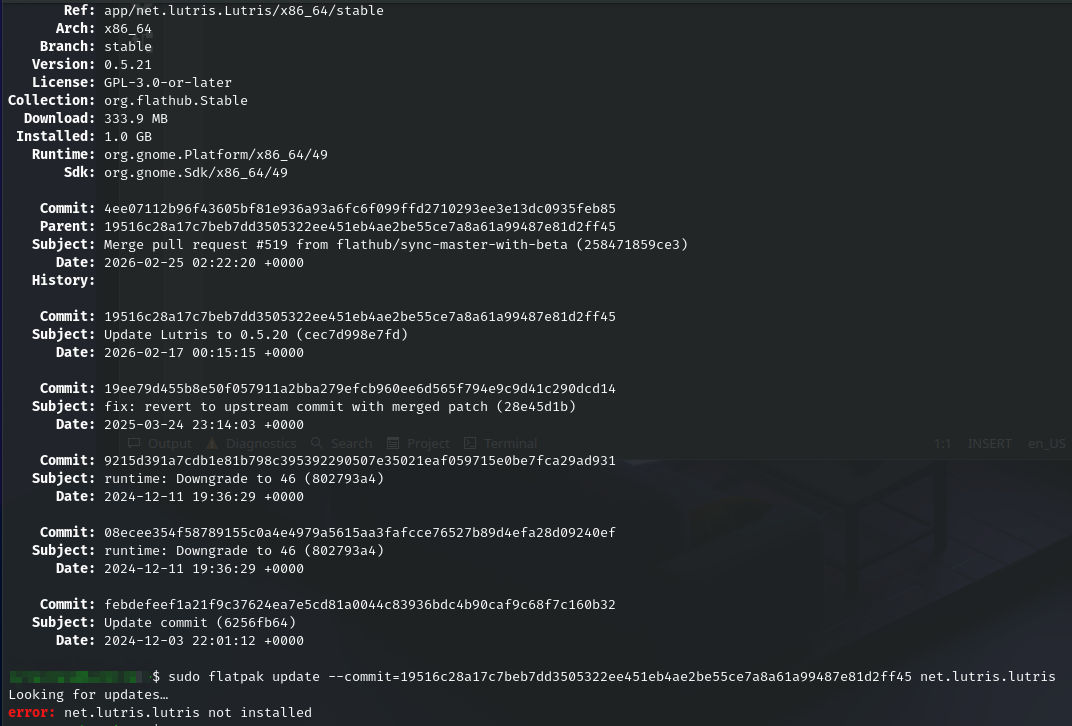
So i updated flatpak version of Lutris to 0.5.21 on Linux Mint 22.3 and after that the Lutris UI would not load anymore.
Not sure if this warning / error means anything :
flatpak run net.lutris.Lutris
Gtk-Message: 22:50:25.354: Failed to load module "xapp-gtk3-module" Traceback (most recent call last): File "/app/bin/lutris", line 68, in <module> from lutris.gui.application import LutrisApplication File "/app/lib/python3.13/site-packages/lutris/gui/application.py", line 37, in <module> from lutris.api import get_runners, parse_installer_url File "/app/lib/python3.13/site-packages/lutris/api.py", line 20, in <module> from lutris.util import http, system File "/app/lib/python3.13/site-packages/lutris/util/http.py", line 41, in <module> class Request: ...<160 lines>... return "" File "/app/lib/python3.13/site-packages/lutris/util/http.py", line 46, in Request stop_request: threading.Event = None, ^^^^^^^^^ NameError: name 'threading' is not defined. Did you forget to import 'threading'?
I can confirm the same issue on Debian 13 with exactly the same output. That is the flatpak version.
I don’t know what the update was but currently I am unable to start lutris too.
A temporary solution that I can give you is to revert back a version until someone else looks in to the matter.
Grok AI helped me, I guess the issue was I had installed both stable and beta version.
But the following commands helped me to downgrade to 0.5.20 version and works.