The newest Lutris version makes Scrivener launch in 96 DPI, which is unreadable on a modern monitor.
To fix this, go to Wine in the left-menu (not within your Scrivener installation):
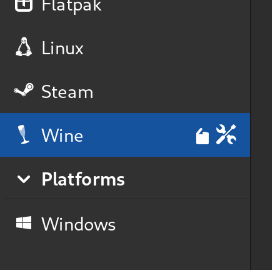
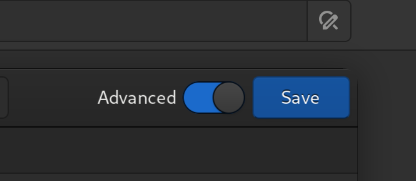
Then, toggle “advanced”
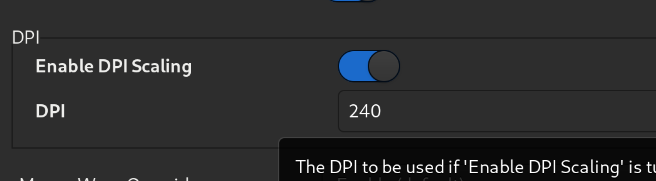
Finally, adjust the DPI to taste. I found 240 works on a 1920x1080 monitor:
Issues that remain:
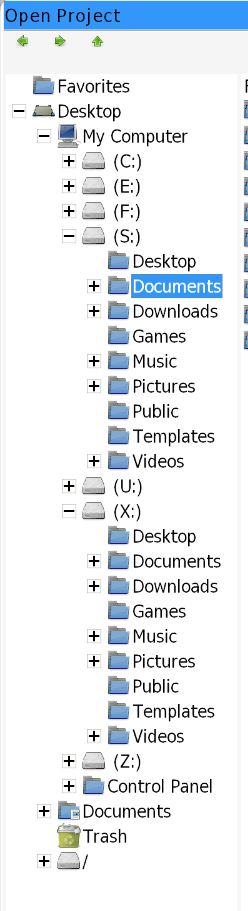
- fixing the path to the Documents directory
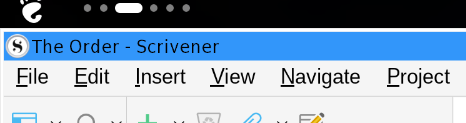
- removing the ugly-ass blue Windows banner at the top
1 Like
The newest Lutris version makes Scrivener launch in 96 DPI, which is unreadable on a modern monitor.
It’s not Lutris but Wine that use 96 dpi by default and it is a normal behavior.
Effectively you can change dpi in Lutris interface.
What do you mean by:
fixing the path to the Documents directory
and
removing the ugly-ass blue Windows banner at the top
?
You used to be able to adjust the DPI via WineTricks inside the Scrivener installation. That no longer saves correctly (ie, no matter how many times I adjust the slider in “Graphics,” it stays at 96). This fix adjusts the Wine preferences in the Lutris menu and is presumably a global change. I suspect most Scrivener users of Lutris won’t care since it’s the only thing we use it for.
After the upgrade, my Scrivener instance couldn’t find the directory or the files I’ve been using for a year. To locate them now, I had to comb through several virtual directories until I found it under "S:" as well as "X:"
Scrivener now has a blue Windows 3-style bar at the top. It takes up space unnecessarily and also is ugly IMO.
After the upgrade, my Scrivener instance couldn’t find the directory or the files I’ve been using for a year. To locate them now, I had to comb through several virtual directories until I found it under “S:” as well as “X:”
Proton no more saves user files in your HOME user folder.
Workaround: move your saves files from your HOME user folder to your wineprefix, in same location (documents?).
Thanks TheRealOrion! Wine in the side panel. Works perfectly.