Hello,
When I launch the EA App installed through Lutris, I always encounter a black screen issue. To solve this, I tried multiple versions of Wine, Proton, and TKG. I also enabled vertical synchronization on my GPU and tested several launch options. Despite following every suggestion I found both on this forum and elsewhere online, the problem persists. I haven’t been able to find a solution to this black screen issue. Could you please help?
Arch Linux x86_64
Linux 6.12.44-1-lts
bash 5.3.3
i3 (X11)
lutris-0.5.19
I actually have the same thing happening, for some time now. I forget when it started, somewhere in the Mesa 25.2 cycle, maybe a month ago. It seemed to correct itself for a short time, and I figured it must have just been Mesa du jour or something, but it came back and happens all the time now. It likely is due to changes in Mesa, some hackish workaround no longer works, or something.
It doesn’t affect me launching games, and if any part of it goes black, simply rolling the mouse over it brings it back, so I haven’t tested downgrading Mesa.
It’s accompanied by this:
err:   Presenter: Failed to create Vulkan surface: VK_ERROR_OUT_OF_HOST_MEMORY
err:   Failed to create Vulkan surface, VK_ERROR_OUT_OF_HOST_MEMORY
err:   DXGI: CreateSwapChainForHwnd: Failed to create swap chain, hr -2147467259
[0831/212051.271:ERROR:angle_platform_impl.cc(43)] SwapChain11.cpp:640 (reset): Could not create additional swap chains or offscreen surfaces, HRESULT: 0x80004005
ERR: SwapChain11.cpp:640 (reset): Could not create additional swap chains or offscreen surfaces, HRESULT: 0x80004005
[0831/212051.271:ERROR:gl_display.cc(508)] EGL Driver message (Critical) eglCreateWindowSurface: Bad allocation.
[0831/212051.271:ERROR:gl_surface_egl.cc(480)] eglCreateWindowSurface failed with error EGL_BAD_ALLOC
[0831/212051.296:ERROR:command_buffer_proxy_impl.cc(128)] ContextResult::kTransientFailure: Failed to send GpuControl.CreateCommandBuffer.
I don’t know what that Vulkan error is all about, there’s nothing wrong with my Vulkan impl. However that bad window shit, and falling back to a simple framebuffer is what’s causing parts of the client window to black out. It’s essentially a QT webkit browser, using Angle on Windows (which does not translate).
I can’t see it being Lutris that has caused this. Also, it happens with or without “D3D Extras” enabled. I think that’s a collection of Microsoft dlls, like the d3d compilers and stuff. I always enable it. It used to be that Origin and the EA App didn’t display correctly without it.
Hello! I had the same thought as you, but when I couldn’t figure it out, I posted a topic on the forum. Which version of Wine or Proton are you using to run the EA app? I’ve tried everything. Some people can become obsessed with things that others would ignore Apart from the app’s menu, it seems like there are no issues, but to be honest, I haven’t tested the game yet. It’s a strange problem. I don’t really want to downgrade the Mesa version as that might be a dirty method.
I’m using my own custom wine-tkg build, “wine-tkg-staging-ntsync-git-10.13.r0.ga8a6d7b0” (I haven’t been able to try 10.14 yet as I’m still fighting with broken patchsets) but as you indicated, it happens with different wine implementations. I’m using the latest DXVK and vkd3d-proton from git (I’ve tested older DXVK with no effect on the problem). The games I have installed in it work well with those builds.
It’s not as if it hasn’t been irritating my anus too. The reason it bothers me is not because I have lost any functionality of the client, but because, if THAT is messed up, what’s going to break next. It is a very precarious situation with the EA client, I hate being dependent on fragile game clients. If I can’t launch my BioWare games I’ll be livid.
If I solve it or discover anything new, I’ll come back and let you know.
I haven’t found any solution for this (still the same behaviour) but I’ve been meaning to come back and say that the common denominator here, when this started, is when the EA App switched to the Chrome engine from qt-webkit based. That is what changed… the client, it’s no longer a qt-webkit browser engine.
You can’t translate Angle (not with hardware acceleration(, it’s a Windows kludge. Nobody wants to use DirectX for browser acceleration (not cross platform friendly) so Mozilla and Chrome based browsers use angle to translate opengl to directx for Windows. Easier than maintaining both EGL and DirectX support, I guess.
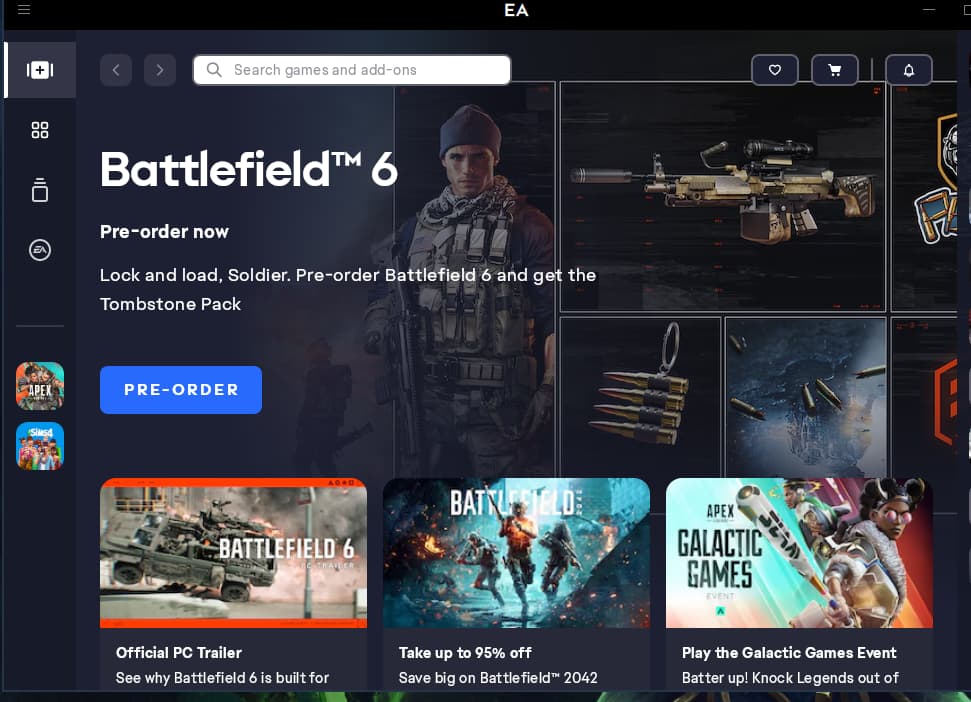
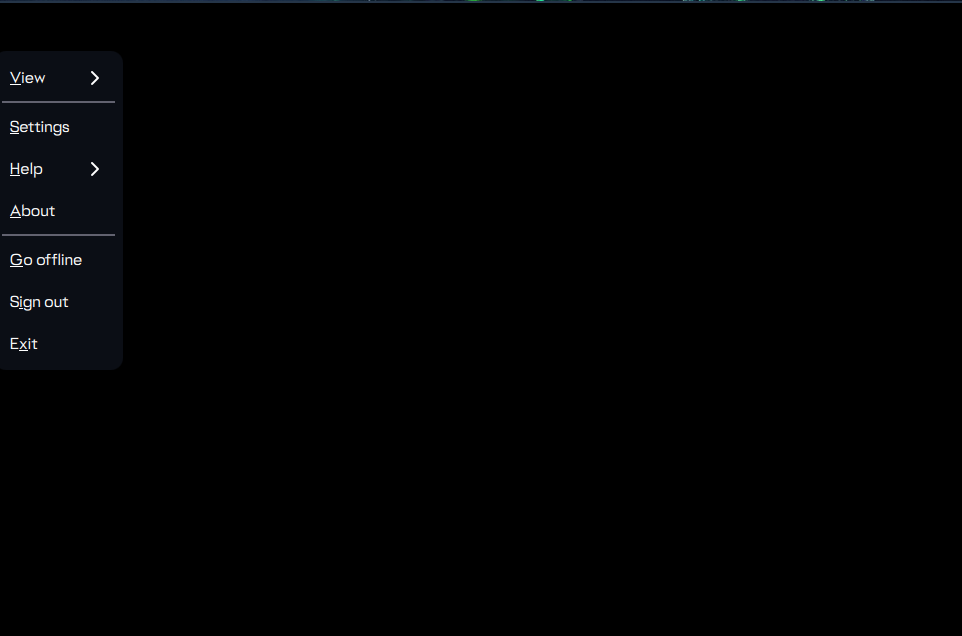
 Apart from the app’s menu, it seems like there are no issues, but to be honest, I haven’t tested the game yet. It’s a strange problem. I don’t really want to downgrade the Mesa version as that might be a dirty method.